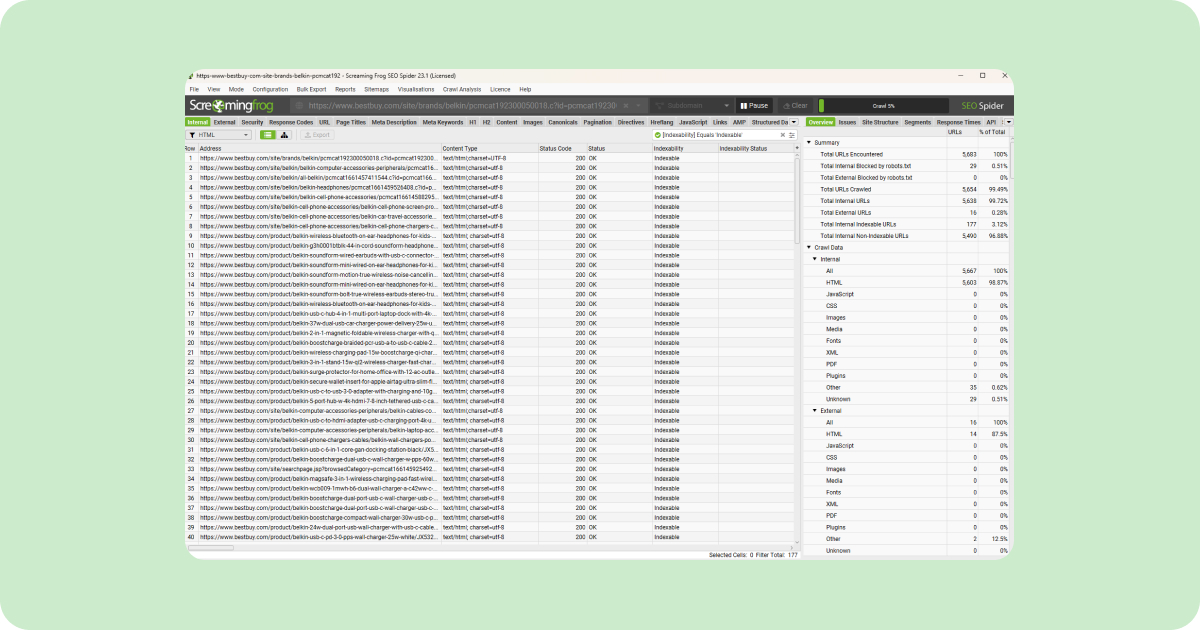
Yes, Redirects.net works seamlessly with Screaming Frog data.
If you use Screaming Frog SEO Spider for crawling and auditing websites, you can export your URL data and upload it directly to Redirects.net for intelligent redirect mapping. No format conversion or data manipulation required.
Why Use Screaming Frog Data with Redirects.net?
Screaming Frog is a beloved website crawling tool. Most SEO professionals already use it to audit sites before migrations. Redirects.net is built to fit into this existing workflow.
The Traditional Workflow
Without Redirects.net, the process looks like this:
- Crawl your old site with Screaming Frog
- Export the URL list
- Manually map each URL to its new destination (hours of work)
- Format redirects for your platform
- Implement and test
The Redirects.net Workflow
With Redirects.net, steps 3-4 become automatic:
- Crawl your old site with Screaming Frog
- Export the URL list
- Upload to Redirects.net
- Review intelligent matches
- Export platform-ready redirects
What Screaming Frog Data Works Best with Redirects.net?
Redirects.net accepts Screaming Frog exports and maps the data to our upload format for intelligent redirect matching.
How Screaming Frog Data Maps to Redirects.net
| Screaming Frog Column | Redirects.net Field | Purpose |
|---|---|---|
| Address | URL | The source URL for redirect mapping |
| Title, H1, Meta Description | Dimension (Optional) | Additional context for smarter matching |
| Custom Extraction (SKU, Product ID) | SKU (Optional) | Product matching for ecommerce migrations |
URL Data (Required)
The Address column from your Screaming Frog export provides the URLs that need redirects. This is the only required field.
Metadata for Better Matching (Optional)
Any metadata or page data from Screaming Frog can be placed in the open Dimension field. This includes:
- Page titles
- H1 headings
- Meta descriptions
- Content categories
- Custom extracted data
This additional context helps Redirects.net make smarter matching decisions.
SKU Data for Ecommerce (Optional)
For ecommerce site migrations, SKU data can be extracted from on-page information using Screaming Frog’s custom extraction feature. When included, Redirects.net uses SKU matching to ensure products redirect to the correct destination pages.
Works with Any Website Type
Redirects.net handles Screaming Frog crawl data from any type of website. No matter your industry or site structure, the workflow is the same: crawl, export, upload, and map.
| Type | Common Migration Scenarios |
|---|---|
| Ecommerce | Platform migrations (Magento to Shopify), product catalog restructuring, domain consolidation |
| Informational | CMS migrations, site redesigns, URL structure changes |
| Blog | Archive reorganization, category restructuring, domain moves |
| Government | Compliance updates, department consolidations, accessibility redesigns |
| Enterprise | Global site mergers, multi-brand consolidation, subdomain restructuring |
| Healthcare | HIPAA-compliant migrations, practice mergers, service line reorganization |
| Education | University department restructuring, LMS migrations, course catalog updates |
| Nonprofit | Rebranding, merger consolidations, campaign archive migrations |
| SaaS | Documentation restructuring, product line changes, acquisition integrations |
| Real Estate | MLS integration changes, brokerage mergers, listing platform migrations |
| Finance | Compliance-driven restructuring, merger consolidations, product updates |
| Legal | Practice area reorganization, firm mergers, resource library updates |
Uploading to Redirects.net
Once you have your Screaming Frog export, uploading to Redirects.net takes seconds.
Upload Steps
- Log in to Redirects.net
- Click Upload URLs or drag and drop your CSV file
- Redirects.net validates the data file, removes duplicates, etc.
- Click ‘Start’ to begin mapping. Even large datasets (10,000+ URLs are mapped in less than 5 minutes.)
Quick Copy/Paste Option
For smaller datasets, skip the file upload entirely. Redirects.net includes a Copy/Paste feature that accepts up to 1,000 URLs directly. Just copy your URL column from Screaming Frog and paste it into Redirects.net for fast mapping without any file handling.
Best Practices for Screaming Frog Exports
The quality of your redirect mapping depends on the quality of your crawl data. Follow these practices for best results.
Crawl Configuration Tips
| Setting | Recommendation | Why |
|---|---|---|
| Crawl depth | Unlimited | Capture all pages |
| Respect robots.txt | Disable | Get complete URL list |
| Check external links | Disable | Focus on your domain |
| Crawl all subdomains | Enable if applicable | Include all properties |
Include URL Variations
Ensure your crawl captures:
- www and non-www versions
- HTTP and HTTPS versions
- Trailing slash variations
- Case variations (if your server is case-sensitive)
Multiple Crawls for Complex Sites
For large migrations, consider separate crawls:
- Production site crawl for current live URLs
- Sitemap crawl in List Mode for declared URLs
- Backlink URLs in List Mode for external link targets
Combine all exports before uploading to Redirects.net for comprehensive coverage.
Ready to Map Your Screaming Frog Data?
If you’ve already crawled your site with Screaming Frog, you’re halfway to a complete redirect map. Upload your export to Redirects.net and let intelligent matching do the heavy lifting.